Prostate Cancer Specification - Local Development build (v0.1.0) built by the FHIR (HL7® FHIR® Standard) Build Tools. See the Directory of published versions
Workflow Scenarios
This page describes the messaging scenarios for pathology orders based on the Clinical Order Workflows (COW) IG (v1.0.0-ballot). The focus is on the communication between Placer (HIS/Urology) and Filler (LIS/Pathology) via Coordination Tasks.
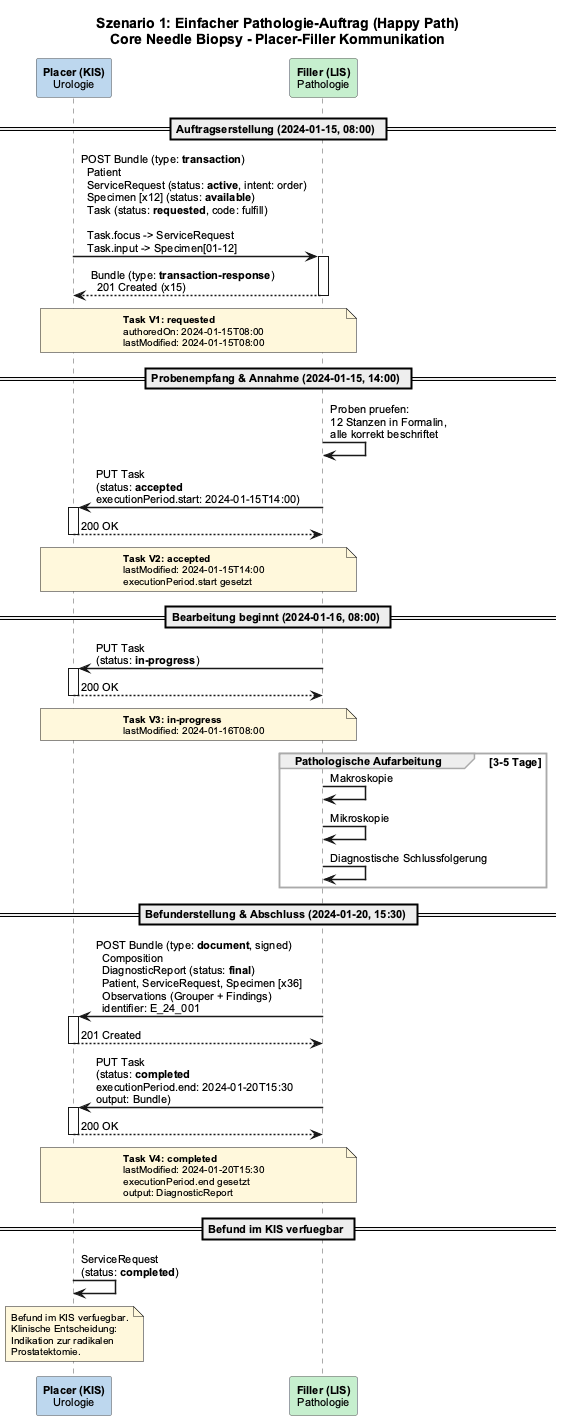
Standard case: Clinician sends 12 prostate core biopsies for histological examination, pathology produces the report.
Workflow:
Placer sends Transaction Bundle (Patient, ServiceRequest, Specimen, Task) to Filler
Filler accepts the order (Task: accepted)
Filler begins processing (Task: in-progress)
Filler completes the report and sends Document Bundle back (Task: completed)
Scenario 1: Happy Path
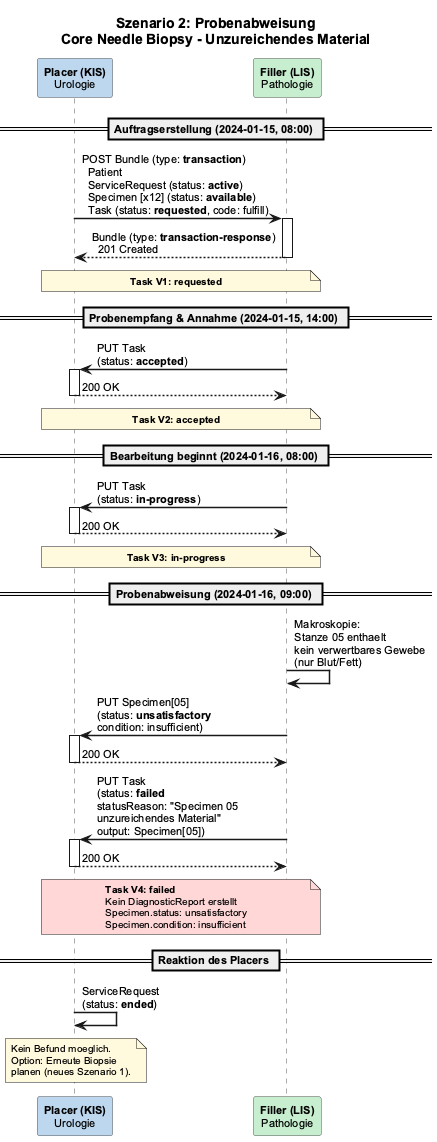
Scenario 2: Specimen Rejection
A core contains no usable prostatic tissue (only blood/fat). Filler reports the Specimen as unsatisfactory.
Workflow:
Order is sent and accepted normally
During macroscopy: specimen is inadequate
Filler sets Specimen.status to "unsatisfactory" with condition
Task is set to "failed" — no DiagnosticReport created
Scenario 2: Specimen Rejection
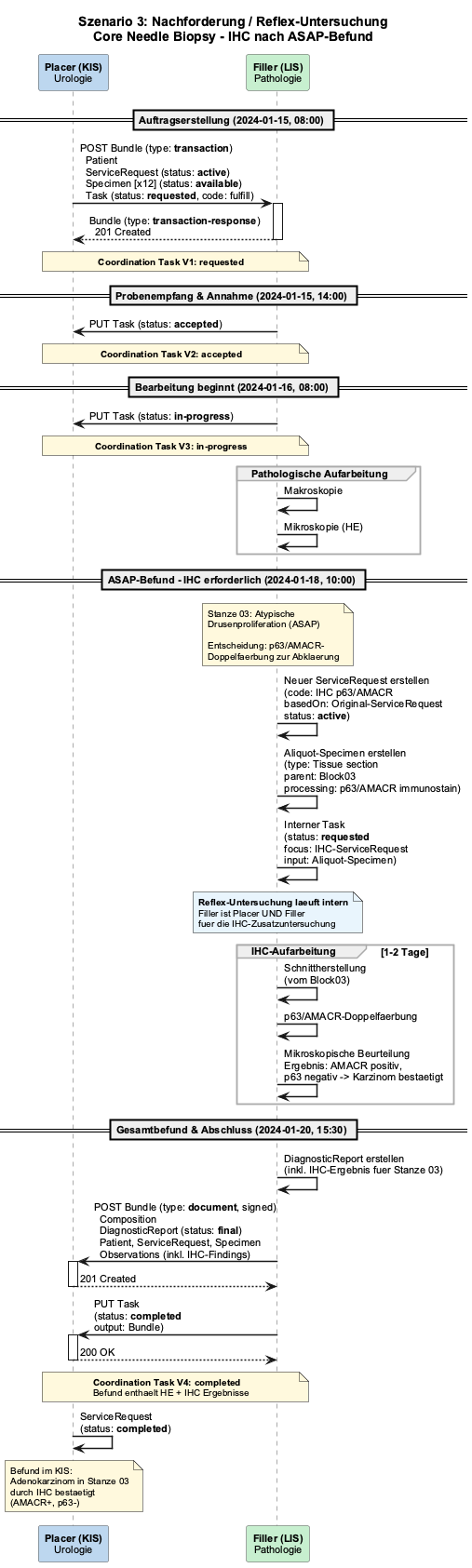
Scenario 3: Reflex Testing
Initial H&E microscopy reveals an atypical small acinar proliferation (ASAP) in one core. The pathologist independently orders immunohistochemistry (p63/AMACR) to confirm or rule out carcinoma.
Workflow:
Order proceeds normally through microscopy
Filler creates an internal new ServiceRequest (basedOn: original SR) + aliquot Specimen (parent: Block)
IHC processing runs internally within the Filler
Combined report (H&E + IHC) is sent back as Document Bundle
Scenario 3: Reflex Testing (IHC after ASAP)
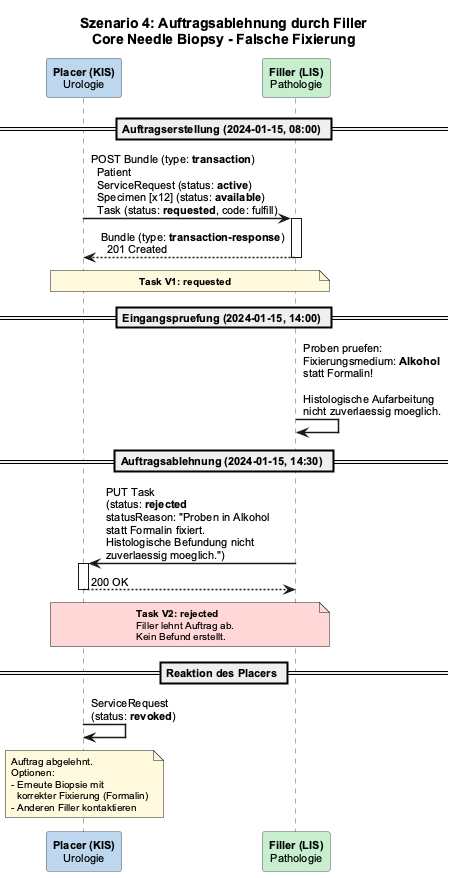
Scenario 4: Order Declined by Filler
Specimens are fixed in alcohol instead of formalin. Pathology cannot perform reliable histology and declines the order.
Workflow:
Order is sent (Task: requested)
Filler checks specimens on receipt — incorrect fixation detected
Filler sets Task to "rejected" with statusReason
Placer may need to arrange a repeat biopsy with correct fixation
Scenario 4: Order Declined
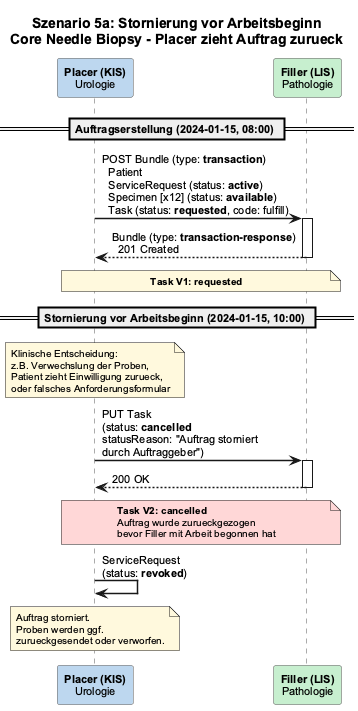
Scenario 5a: Cancellation Before Work Begins
Specimen mix-up detected. Placer cancels the order before the Filler has started processing.
Workflow:
Order is sent (Task: requested)
Placer sets Task directly to "cancelled" — no formal Cancellation-Request needed
ServiceRequest is set to "revoked"
Scenario 5a: Cancellation Before Work Begins
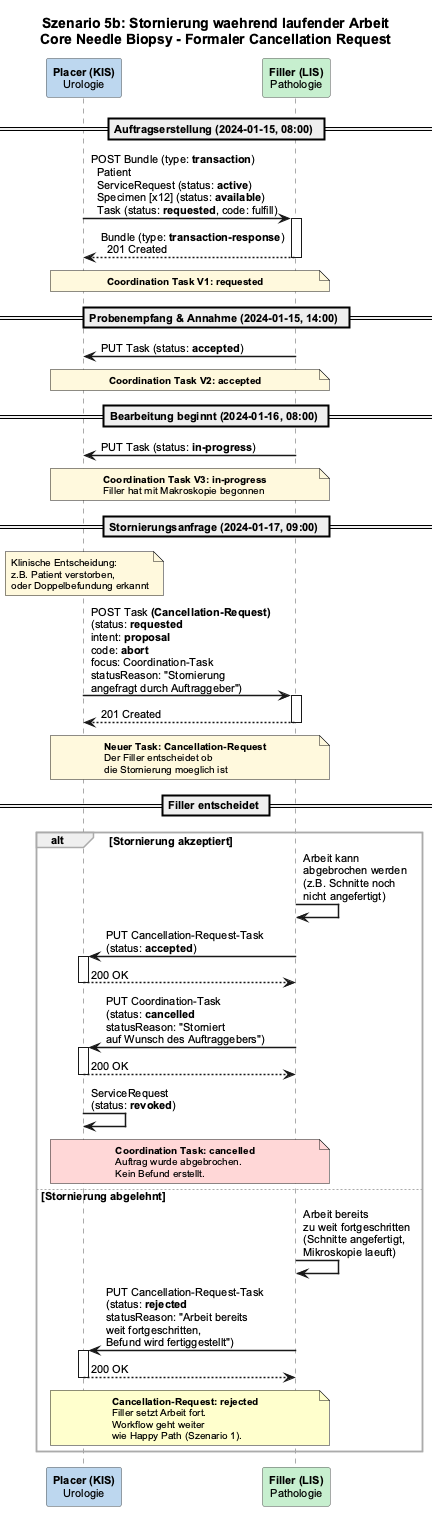
Scenario 5b: Cancellation During Active Work
Patient dies during processing. Placer requests cancellation, Filler decides whether the work can still be stopped.
Workflow:
Order is already in progress (Task: in-progress)
Placer sends a Cancellation-Request-Task (code: abort, intent: proposal)
Filler decides:
Accepted: Coordination Task is set to cancelled, ServiceRequest to revoked
Rejected: Workflow continues as Happy Path
Scenario 5b: Cancellation During Active Work
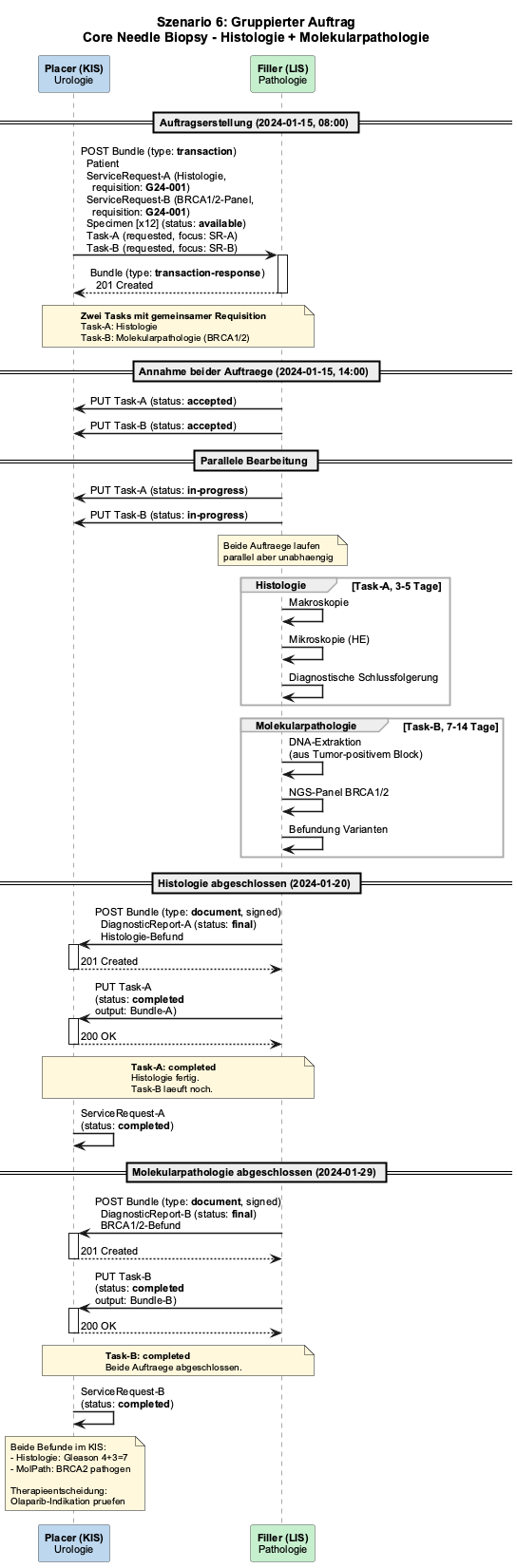
Scenario 6: Grouped Order
Urologist simultaneously orders standard histology and a molecular pathology BRCA1/2 panel for the same biopsy submission. Two ServiceRequests with a shared requisition identifier, two Tasks running in parallel.
Workflow:
Placer sends two ServiceRequests with the same requisition identifier (G24-001)
Filler processes both in parallel — histology (3-5 days) and molecular pathology (7-14 days)
Histology report is completed first (Task-A: completed)
Molecular pathology report follows later (Task-B: completed)
Scenario 6: Grouped Order (Histology + Molecular Pathology)
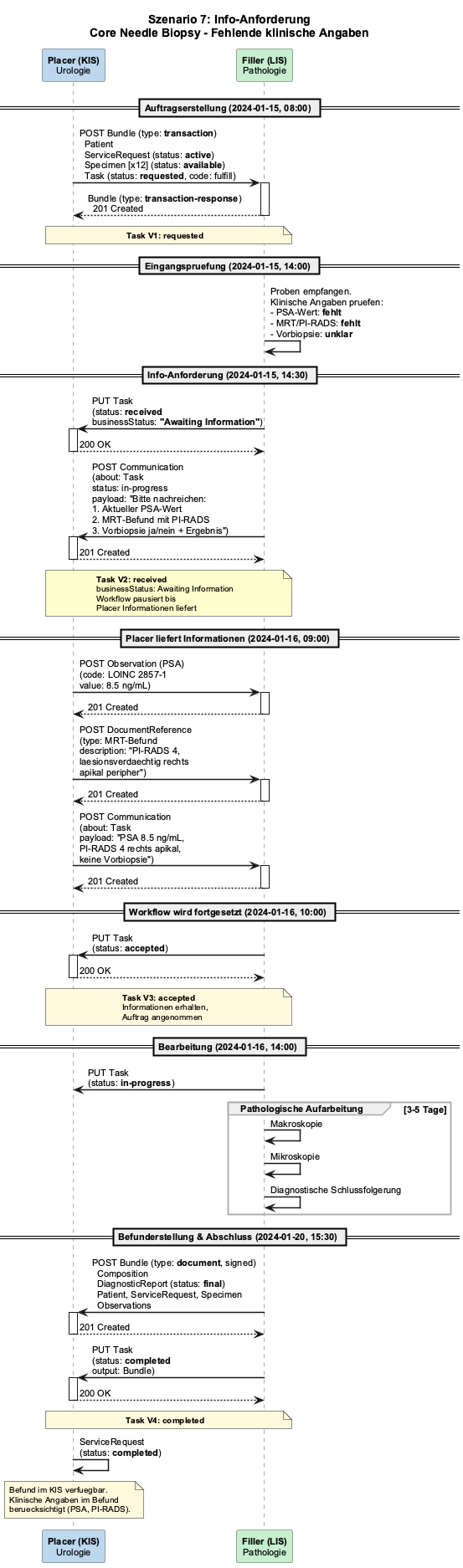
Scenario 7: Information Request
Pathology receives the cores but clinical information is missing (PSA value, MRI/PI-RADS, prior biopsy). Filler pauses the workflow and requests the information.
Workflow:
Order is sent (Task: requested)
Filler sets Task.businessStatus to "Awaiting Information"
Filler sends Communication with specific request
Placer provides information (Observation, DocumentReference, Communication)